

Leading endpoint security and device management
In the demo, we will explore:
How to optimise your devices, manage and save costs with Faronics Cloud.

The power of Faronics Cloud solutions such as Deep Freeze for ultimate workstation protection, Software Updater and more.

Real-world examples of how Faronics Cloud solves industry pain points.



We are proud to be the UK Preferred Partner…
Supplying Faronics Cloud to a multitude of organisations for over 15 years
12 million
Licences sold
33,000+
Customers worldwide
150+
Countries coverage

Total control of your IT devices with Faronics Cloud
One complete solution to manage your devices
Faronics Cloud revolutionises IT processes, delivering strong return on investment for IT teams by streamlining computer updates, security and deployment. Save time and costs with a powerful suite of utilities.

Reduce your IT support tickets by 60%
Eliminate downtime and extend your hardware lifecycle.
Requires zero hardware investment.
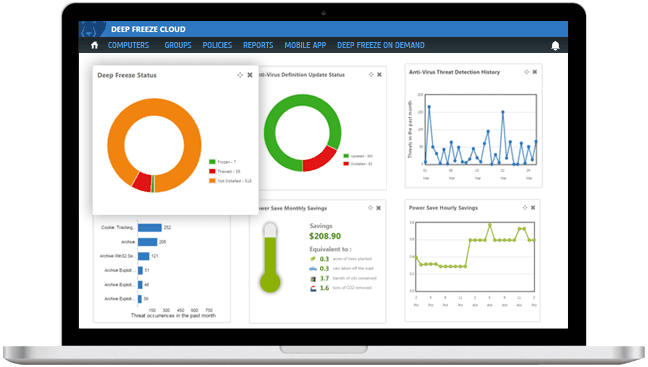


Deep Freeze
Ultimate workstation protection with patented Reboot-to-Restore.

Anti-Virus
Real-time virus and spyware detection with firewall protection.

Anti-Executable
Block unauthorised executables from opening, preventing zero-day attacks.

Software Updater
Automate software and Windows updates, including patch management.

Power Save
Reduce unnecessary computer energy consumption by up to 50%.
Connect Remotely
Provide reliable remote support to resolve issues and manage devices.

Why choose Faronics Cloud?

Remote machine management
Manage all your devices from a single cloud-based console. Access and control devices remotely, reducing the need for on-site visits.

Reduce IT maintenance
By automatically restoring systems to their original configurations, Deep Freeze significantly reduces the need for routine maintenance, IT support tickets and complex troubleshooting for your IT department.
Save costs
Less downtime and fewer IT support calls translate into direct cost savings. Invest resources more effectively, without constantly repairing or reconfiguring systems.

Windows support
Perform on-demand actions such as installing applications, Windows patches or remoting to computers.
macOS support
Discover and manage macOS workstations, automate installs and perform on-demand OS updates.